I persisted with this approach for a decade. Enlightenment came when I let it go.
Even after 10+ years of daily use, I never managed to make navigating via hjkl work naturally with my brain — I need “up” to be physically above “down”. So I set up key bindings for the classic “inverted T” formation, dealt with the secondary effects, and I’m much more comfortable. https://github.com/rectang/dotfiles/blob/30e0a41714c34416f10...
Dare I say I use vim more like it was intended to be used with this new setup, as my right hand remains in place and is not constantly flying to the arrow keys and back.
Now I struggle a bit when I have to work on a stock vi, but that’s a very small part of what I do.
I use hjkl to scroll 90% of the time when using my browser. Having it on the middle of the keyboard where your hand rests make a lot more sense to me than weirdly angling your hand at the bottom right of my MacBook.
I used hjkl scrolling for about a decade with Dvorak. In fact, I learned to use Vim for the first time on Dvorak. The muscle memory makes it work just fine, even when not all the keys are on the home row.
I found this forced me to use vim's natural language more rather than relying on hjkl for the majority of my navigation, since it was ergonomically uncomfortable and I wanted to preserve vim's mnemonics by not rebinding.
It, um, can, but you have to kind of not pay attention and pretend that the letters are somehow important and ignore what your fingers are actually doing on the keyboard. At least n=1, my brain was willing to accept that j=down and k=up and not worry about the fact that they're not even next to each other. That said, if I could go back in time I would tell my younger self to either use vi/m or non-qwerty, but not both.
Forgive me, but if you've got a MacBook (and no attached keyboard, by the sound of it), why not just use two-finger scrolling on the very very nice touch pad?
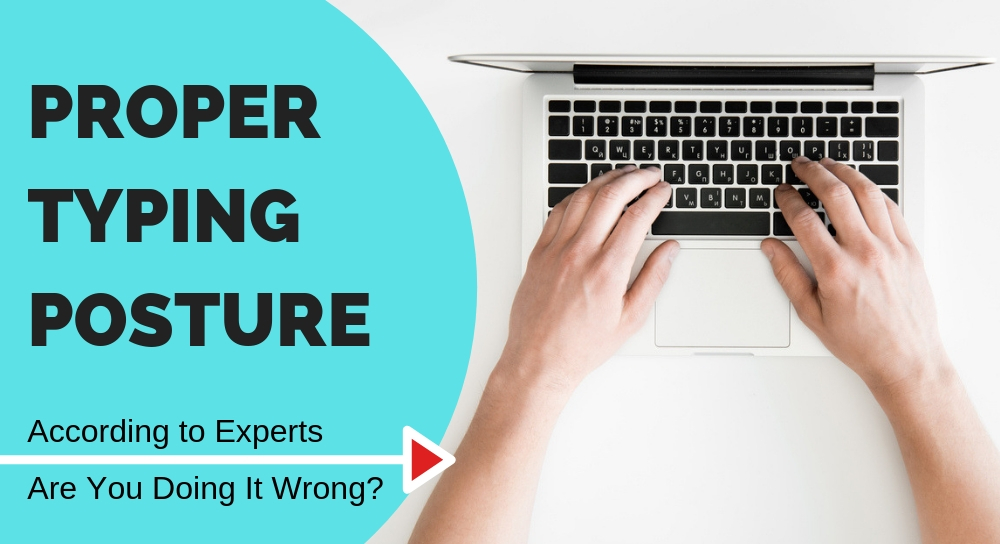
I rarely use the mouse. Both my hands are always resting on either side of the trackpad with my fingers on the home row by default (rarely moving from this position):
Ever since I learned how to use the Miryoku layout, I've been using vim with the hjkl navigation-keys shifted one position to the right. Those are also my arrow keys on a separate layer in the keyboard firmware. And I never looked back, this is how it really should be!
What kind of keyboard do you have or what are some favorite ones you have tried? Been looking at bastardkb.com a lot recently, but feel frozen with choice.
Ctrl+C requires taking your fingers off homerow and pressing two keys at once, though.
Granted, escape also meets those criteria if you map it to the caps lock key, which I do. The jk mapping is still useful in the rare occasions I use vim on my phone, though.
+1 for remapping Caps Lock to Esc.
It is easily done in GUI settings in both MacOs and most Linuxes and it is quite useful to have it there OS-WIDE.
In the rare cases I need to Caps Lock it is still available by pressing both shift together (there are various Linux options around that)
I never bothered to have it map to Ctrl on holding the key in addition of Escape on pressing but it is easily done. There's at least on blog post about that if you search HN
I remap caps lock to ctrl on my OS which does make it a little more ergonomic, but I still prefer your method. Although, whatever wizard taught me vim and gave me their beginner cheat sheet had jj instead of jk.
In my case, I agree, but when I asked about this key combo once elsewhere, a number of folk pointed out that this is true for the standard US QWERTY layout, but not necessarily so for various EU or other layouts.
AltGr+8 is reasonable enough that I don't feel like learning a new layout.
Ctrl+AltGr+8 is involved enough that I might as well press Esc.
A lot of software developers are unaware of the AltGr[1] key or even assume US ANSI layout altogether so as a user I have been trained not to take keybindings involving that layer for granted.
As a real world example of similar issues, there's piece of software (I think it was telnet or mosh, but I apologize if I misremember) where Ctrl+^ is used as an escape sequence. This doesn't work for me, possibly because caret is a dead key[2] on my keyboard. For some reason, perhaps related to using scancodes instead of key codes, Ctrl+6 happens to work in that application.
ctrl-c is not the same as escape. ctrl-c doesn't trigger the InsertLeave autocmd or abbreviations. This may not matter to everyone but it's worth being aware of.
This also makes it easier to use the vim keybinding you find in many IDEs, as you are not relying on more arcane or customized bits of vim itself, but the general concept and common idioms.
I'm at this point. Learned vim in grad school where I was ssh'ing into systems all the time. I tried a variety of plugins but none of them have stuck for me. Now in industry everyone uses VS Code or something like it and I just can't get into it. Everything I need to do is on the command line (git, run tests, etc). Having been a Linux-enthusiast for quite some time helped me with needed command line tools as well (now I'm using a Mac at work, which is similar enough where it matters).
I stick with regular vi for a very long time because of this. I was a systems consultant way back when and I'd have to work on several variants of unix that had a mich-too-long lag time on getting vim ports. Iirc, sparc was the unix that took the longest in getting a gnu tools pipeline, so once they had vim and I could reasonably expect most of my customers could install it, I switched.
I now do a pretty standard config (mostly use the vim plugin in VSCode since I'm a software dev nowadays).